

FREE WORDPRESS PLUGIN • MIGRAM
Migrate and back up WordPress. For free.
Migram packs the whole site (database, media, plugins and themes) into a single file and restores it anywhere: on the same server, on a new host or on a local copy. No size limit and no sign-up.
Version 2.3.0 · WordPress 5.8+ · PHP 7.4+ · GPL license
Everything you need to switch hosts or stay safe from the unexpected.
- ∞No size limitLarge files are sent in small parts, so your host's upload limit doesn't matter.
- ⇄Site-to-site migration by URLCreate a migration key on the source site and paste it on the destination: the backup goes straight from one server to the other.
- ↺One-click restorePick one of the stored backups and restore it. The current site stays online until the very last moment.
- ⌖Automatic domain changeThe site address, folders and URLs in the content are updated on import, even inside serialized data and JSON.
- ◷Scheduled backupsDaily, weekly, every two weeks or monthly, keeping the latest backups on the server.
- ✉E-mail notificationsGet an e-mail when an automatic backup fails, has warnings or completes.
- ☰You choose what goes inLeave out media, plugins, themes, inactive items, revisions, spam, transients and cache folders.
- ✓Built for shared hostingEvery job runs in short steps that resume where they stopped, even after a timeout.
- ≡A history of everythingEvery backup, import, restore and migration is logged, with date, result and size.
Export and import, without the hassle.

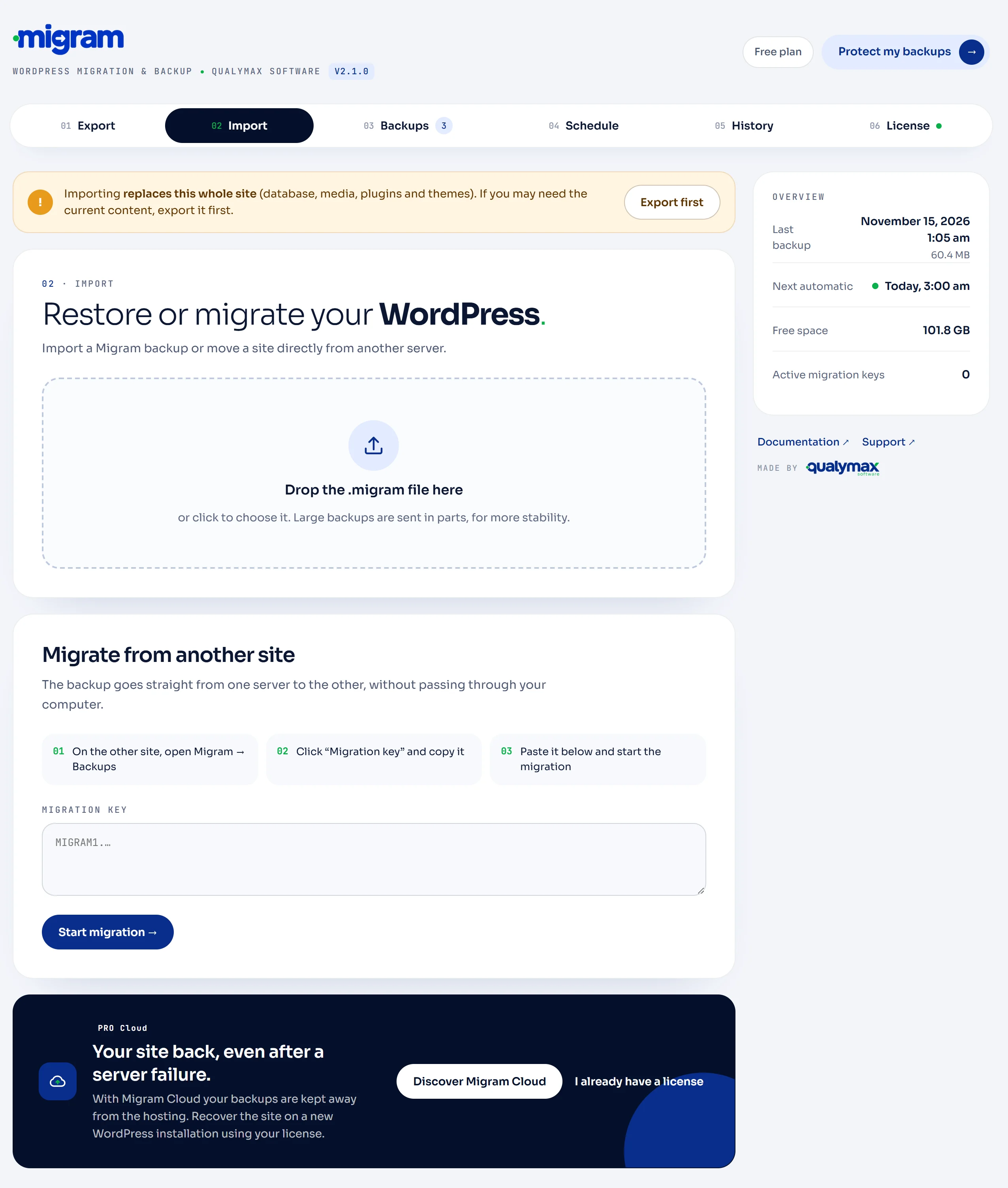
Ready in two minutes.
No account or license needed. Once activated, a Migram menu appears in the WordPress dashboard.
- Download the fileDownload migram.zip and don't unzip it.
- Upload it to WordPressIn Plugins → Add New → Upload Plugin, choose migram.zip and click Install Now.
- Activate it and make your first backupActivate the plugin and open Migram → Export. To move to another server, install it on the destination site too and use Migram → Import.
The plugin is free. PRO takes your backups off the server.
| Feature | Free | PRO |
|---|---|---|
| Backup, restore and migration by file | ✓ | ✓ |
| No size limit | ✓ | ✓ |
| Site-to-site migration by URL | ✓ | ✓ |
| Scheduled backups on the server | ✓ | ✓ |
| E-mail notifications | ✓ | ✓ |
| Automatic backups in your Google Drive | — | ✓ |
| Migram Cloud: backups in the Migram cloud, restorable even if the server is gone | — | Cloud plans |
Common questions.
Is there a size limit?
No. Uploads, downloads and migrations run in parts. The only limit is the free disk space on the server.
Where are backups stored?
In wp-content/migram-backups, protected from direct web access. To use another folder, define MIGRAM_STORAGE_DIR in wp-config.php.
Can I move a site to a different domain?
Yes. The site address, folders and URLs in the content are updated during the import, including inside serialized data.
What happens to my login after an import?
Users come from the imported site. Log in again with a username and password from that site.
Do I need an account or license?
No. Everything is free and needs no sign-up, except Google Drive and Migram Cloud, which use the Migram service and are part of Migram PRO.
Is multisite supported?
Not yet. For now Migram is for regular installs (one site per WordPress).
MIGRAM PRO
A backup on the same server doesn't protect you from everything.
With PRO, automatic backups go to your Google Drive or to the Migram cloud. If your host goes down, your backup stays safe.